Put data in. See it or ask it.
Send readings from a sensor, a script or a spreadsheet. See them in a Grafana that's ready when you sign up, or ask the AI analyst in plain English.
Everything your data needs.
Put readings into a crate from anything. Then see them in Grafana, or ask the AI analyst.
One request. Any device.
A reading is a device, a metric, a value and a time. Send one per request or a batch at once. New devices and metrics appear the first time they send.
- curl and PythonYour crate's API key in a header, the reading as JSON.
- ESP32 and ArduinoHTTPClient, one POST in loop().
- BatchesUp to 100 readings a request on Free, 250 on Maker.
curl -X POST "https://data.carroted.com/api/v2/ingest/crt_..." \
  -H "Content-Type: application/json" \
  -H "X-API-Key: your_key" \
-d '{"device": "sensor-01", "metric": "temperature", "value": 22.5}'Run it to send a readingYour dashboard, ready on login.
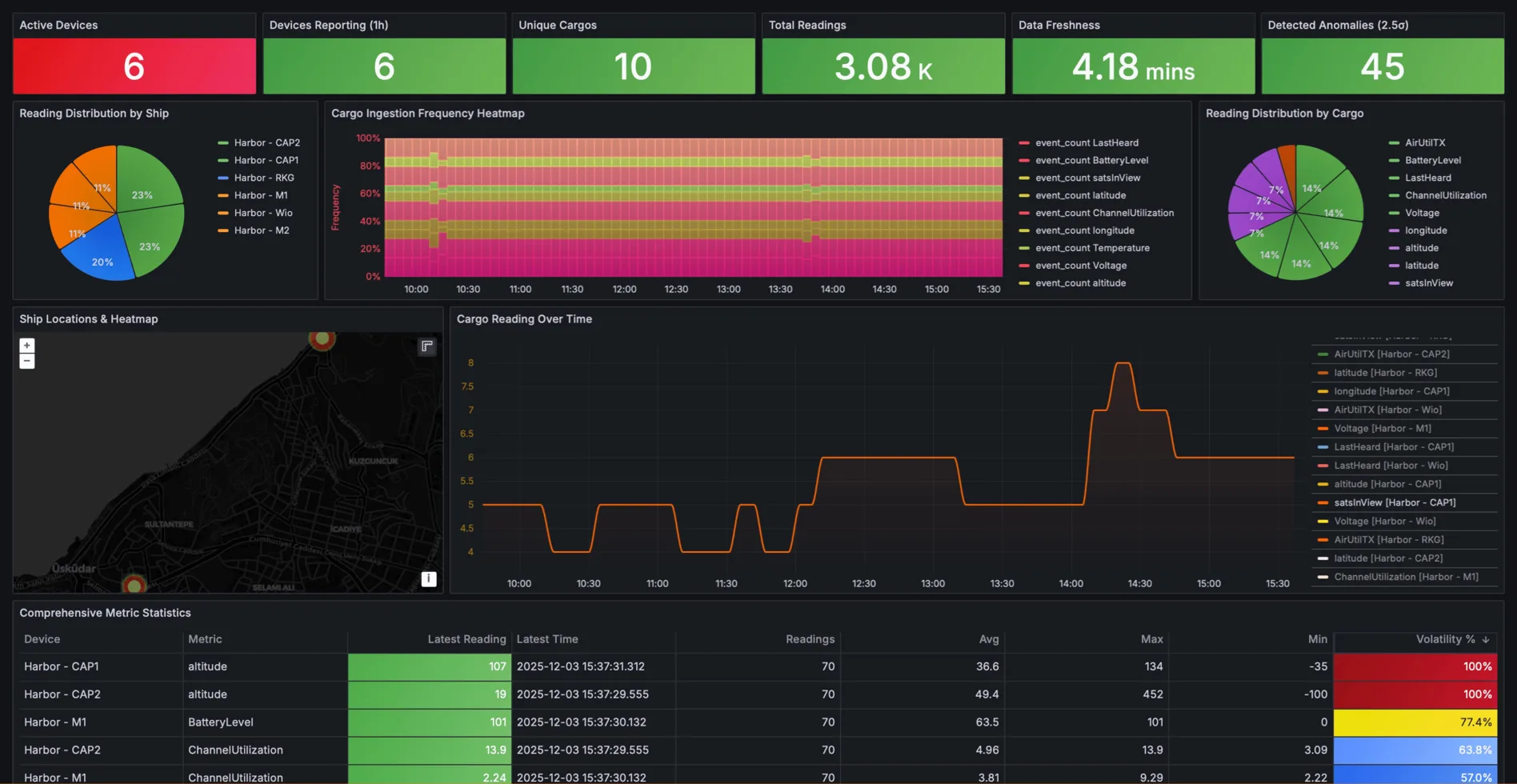
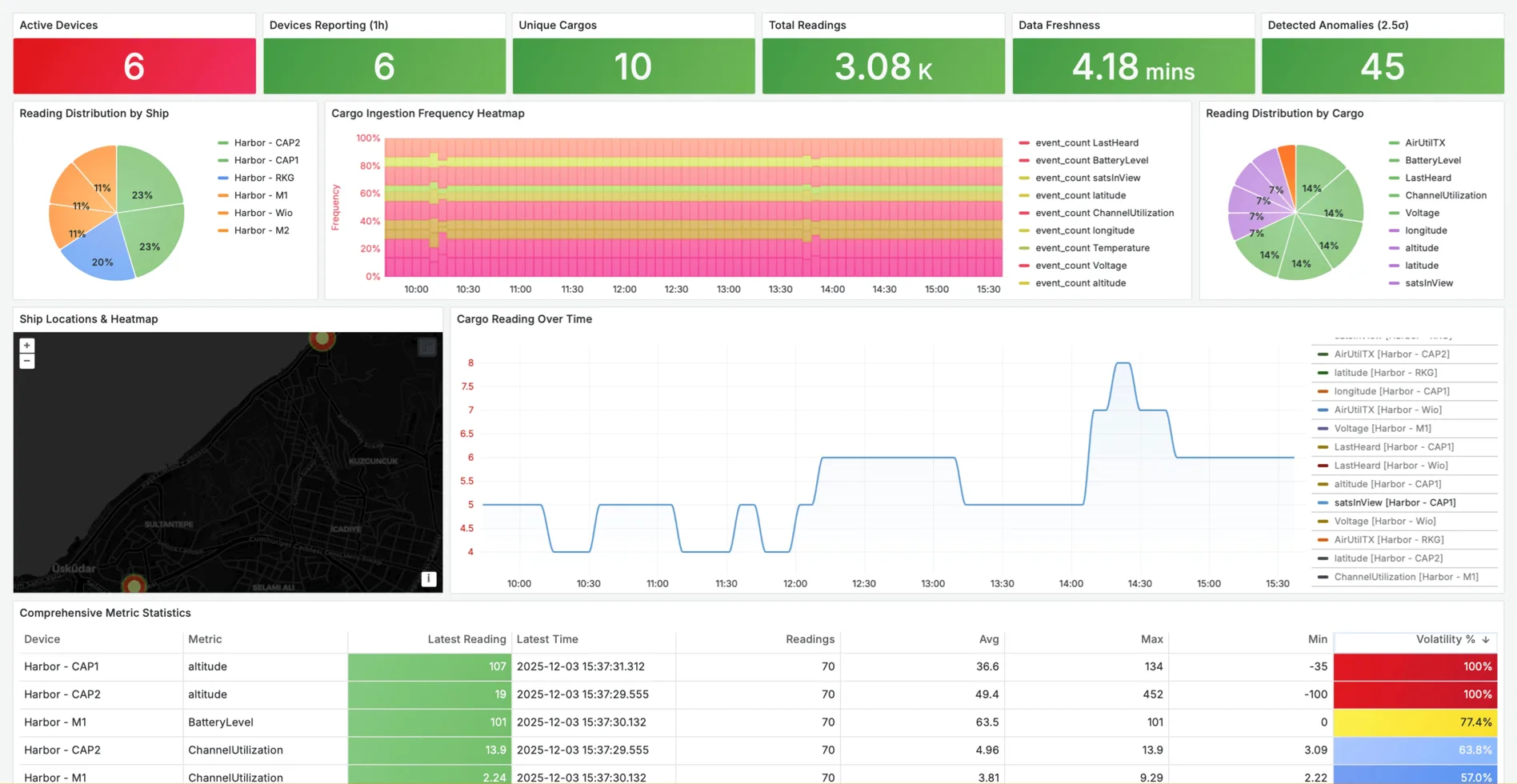
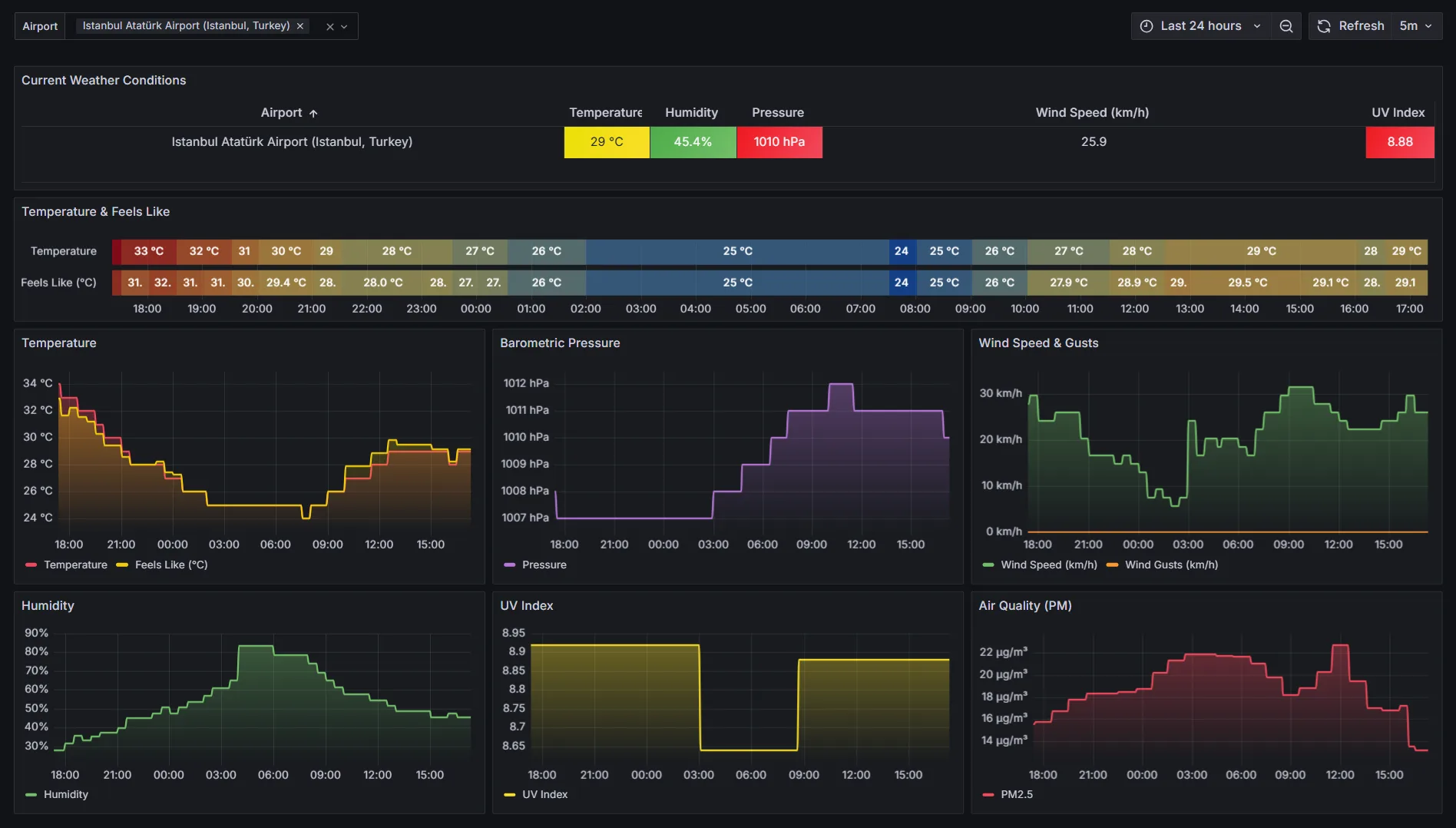
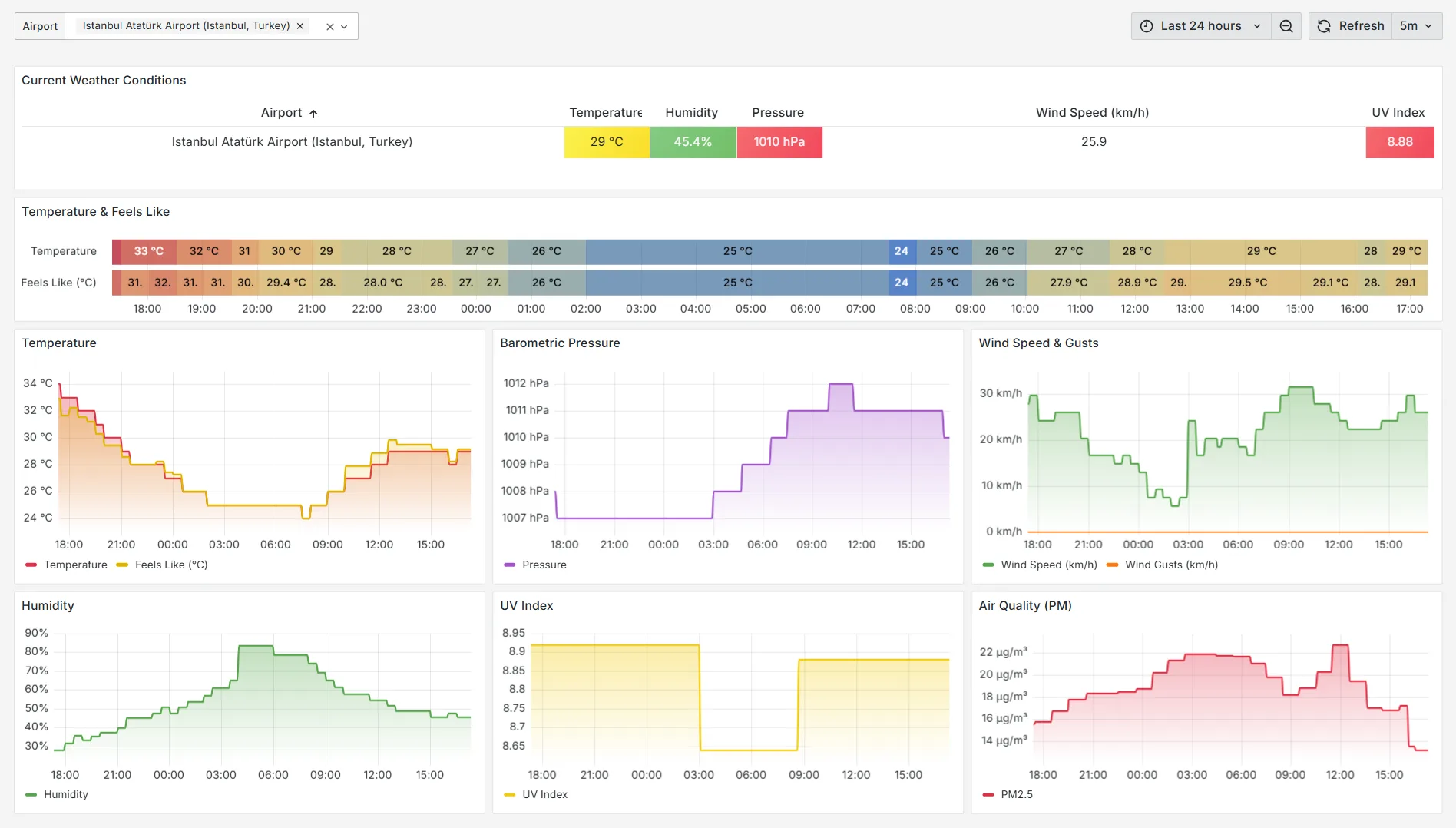
Your own Grafana opens already signed in, connected to your crates, with a dashboard built for each one. Edit them as your own.
- Nothing to set upNo database to run, no data source to wire up.
- Dashboard storeAdd ready-made dashboards in one click.
- Bring your teamInvite people as viewers or editors.
Ask your data in English.
Pick a crate and ask in plain English. The AI analyst answers in words and charts, and shows the SQL it ran.
- Anomalies and trendsFinds the readings that don't fit and explains what changed.
- Charts on requestPlots, correlations, forecasts and distributions, drawn for your question.
- Nothing hiddenEvery answer shows the SQL behind it, so you can check it or reuse it.
Show me anomalies for the last 7 days.
I found 1 critical anomaly today.
14:23 CPU dropped to 1% (normal: under 23%). It lines up with a low battery.
SELECT time, value FROM readings
WHERE metric = 'cpu'
AND value < 2.0
Draw a chart of that hour.
One command on a server.
The Lighthouse agent sends a machine's metrics to a crate and keeps itself up to date.
- One commandLinux, macOS, Windows and Raspberry Pi.
- Built-in collectorsSystem, Docker, uptime checks, Ollama and Starlink.
- Your own scriptsRun any command and send its JSON output.
# Ready to install the agent
In, out and asked.
Everything in Data, grouped the way you'll use it.
Put data in
A reading is a device, a metric, a value and a time. Send it from anything that can make an HTTP request.
HTTP API
One reading per request, with your crate's key in a header.Batches
Up to 100 readings per request on Free, 250 on Maker.Nothing to register
New devices and metrics appear on their first send.CSV upload
Drop a file in the browser, check the preview, send.The Things Network
Make a TTN crate and point a webhook at it.Paste-ready snippets
curl, Python and ESP32, with your key filled in.Test from the browser
Send a test reading and see the reply.Lighthouse agent
One command sends a server's metrics.See it
A Grafana of your own, connected to your crates before you open it.
Managed Grafana
Opens already signed in. Nothing to install or connect.A dashboard from day one
Ready on sign-up; pick any crate, device and metric.Dashboard store
Add ready-made dashboards in one click.Team access
Invite people to your Grafana as viewers or editors.Ask it
The AI analyst answers questions about a crate in plain English.
Plain-English questions
No SQL to write. 10 a day on Free, 20 on Maker.Anomalies and trends
Finds the readings that don't fit and explains changes.Forecasts and regressions
Forecasts, correlations, clustering and distributions.Charts and the SQL
Every answer shows the query it ran.Platform
The parts you never have to run yourself.
A key per crate
Make a new one any time if it leaks.Isolated data
Each crate gets its own database schema.A plan per crate
Switch a crate between Free and Maker any time.Billed by the hour
Maker crates pay for the hours they run.Usage and invoices
Today's readings and this month's bill, per crate.Clear limits
Daily, per-second and per-batch limits, set by the plan.Self-host edition
The open-source stack on your own hardware.Delete any time
A crate goes with its data and its dashboard.Plugs into what you already run.
Anything that can make an HTTP request can send to a crate. These are the usual ones.
- ESP32
- ESP8266
- Raspberry Pi Pico W
- Raspberry Pi
- Arduino
- cURL
- Python
- MicroPython
- C++
- Any HTTP client
- CSV, one reading per row
- CSV, one column per metric
- The Things Network
- LoRaWAN
- Linux
- macOS
- Windows
- Docker
- Ollama
- Starlink
Zero to dashboard in three steps.
No servers to rent, no Grafana to configure. Three steps and your data is on a chart.
Sign up
Your first crate, the home for your readings, is made for you, with its own API key.Send a reading
Paste a curl, Python or ESP32 snippet, upload a CSV, or connect The Things Network.See it or ask it
Open Grafana, already signed in with a dashboard for your crate, or ask the AI analyst.Free to start. Flat after.
Start free. Move a crate to Maker when it needs more readings or longer history. No hidden fees, no lock-in.
Free
$0/ month- 50K readings a day
- 100 readings per batch
- 10 AI questions a day
- 1-day history
- Managed Grafana
Maker
$9/ month- 5 million readings a day
- 250 readings per batch
- 20 AI questions a day
- 90-day history
- Managed Grafana
Straight answers.
01What is a crate?
02What does managed Grafana access mean?
03Can I use my own Grafana dashboards?
04How do I send a CSV?
05What happens if I exceed my daily quota?
06How does the AI analyst work?
07Do I need to provision devices before sending data?
08Can I send data over MQTT?
09Can I move from the cloud to self-hosted later?
10Is there an uptime guarantee?
What's new.
Your readings
are waiting.
Make a crate, send one reading and open your dashboard. Free to start, with nothing to install.